
Reviews
SlidesPilot Review - From PDF to a PowerPoint You Can Actually Edit
We've tested SlidesPilot, an AI presentation agent that turns PDFs, Word files, URLs and pasted text into PowerPoint decks that stay grounded in the source document.

We've tested 2extract, a developer-first residential and mobile proxy network with an MCP server that lets an AI agent create and manage proxies for you.
Welcome to this 2extract review ✨
Here is a problem every product team eventually runs into: you cannot see your own product the way a stranger in another country sees it. Your pricing page localises. Your ads target. Your CDN serves a different variant. And when a customer in São Paulo emails to say the price on the page is wrong, you open the same URL, see the right price, and have nothing to go on.
Residential proxies are the boring infrastructure that solves this. They route your request through a real consumer connection in the market you care about, so the site you are checking treats you like a local. Same tool, same reason, whether you are doing geo QA, price monitoring, ad verification, or collecting public web data at scale. This is not a consumer VPN and it is not a way around a site's security. It is a way to ask "what does this page actually show in Germany?" and get a truthful answer.
2extract is a developer-first take on that. The founder asked me to look at four things in particular: the MCP server that lets an AI client create and manage proxies through plain language, geographic targeting and session control, the API and dashboard workflow, and the pay-as-you-go pricing. So I made proxies, wired one into an AI client, and ran real traffic through the network from a terminal for an afternoon. Everything below is from that session.
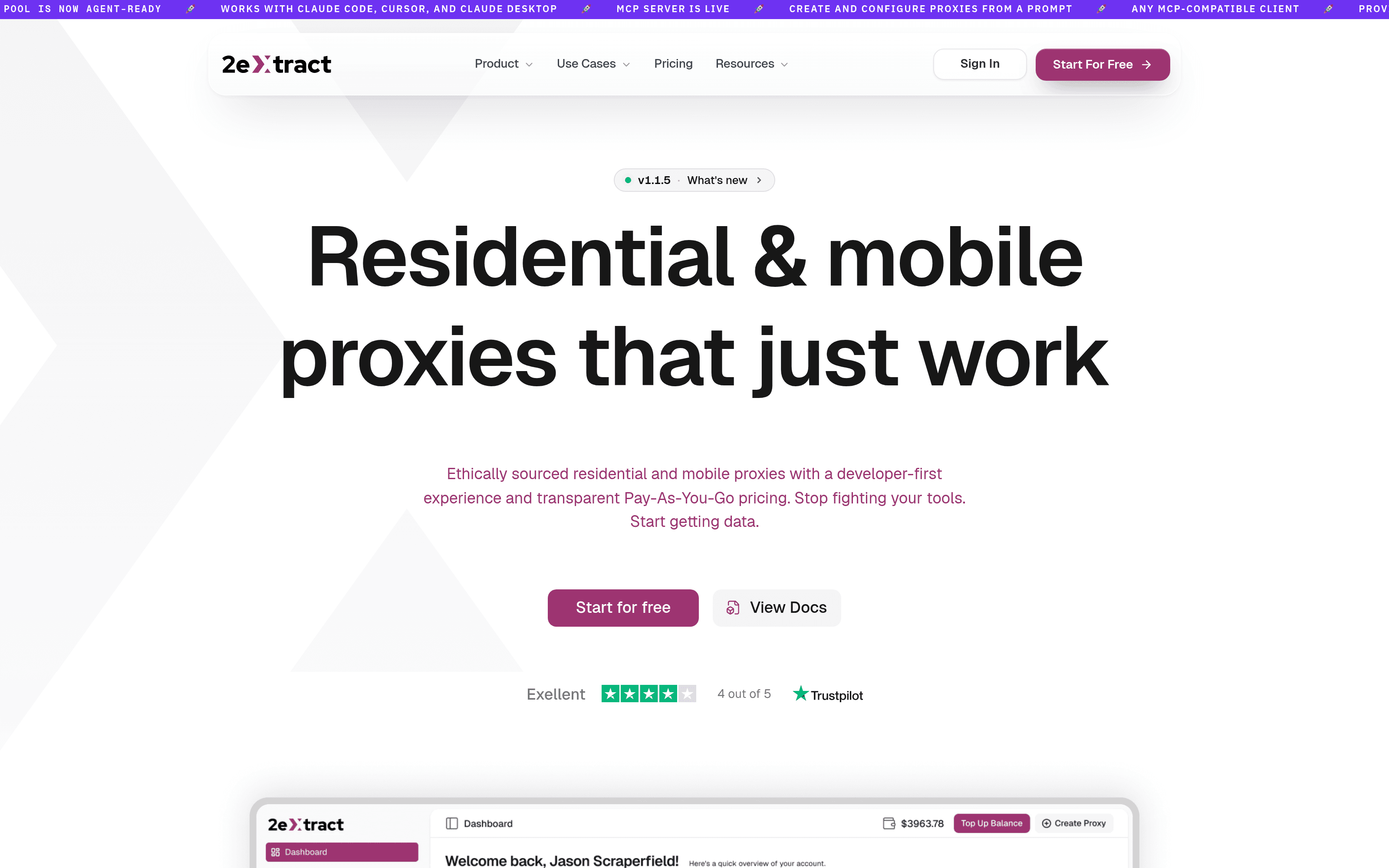
The setup is short enough to describe in a sentence. You land on a dashboard with a four-step "Getting Started" checklist, top up a balance, and create a proxy. The creation form is a single page: name, description, residential or mobile, plan, and a default country. That is it.
Two details from that form are worth knowing before you fill it in. The proxy name becomes part of your connection username and cannot be changed later, so pick something you will still recognise in six months (the field pre-fills a different random name each time you open it, quantum_grid and then nimble_signal for me). And the plan choice is also permanent, which matters less than it sounds because pay-as-you-go is currently the only plan you can actually pick.

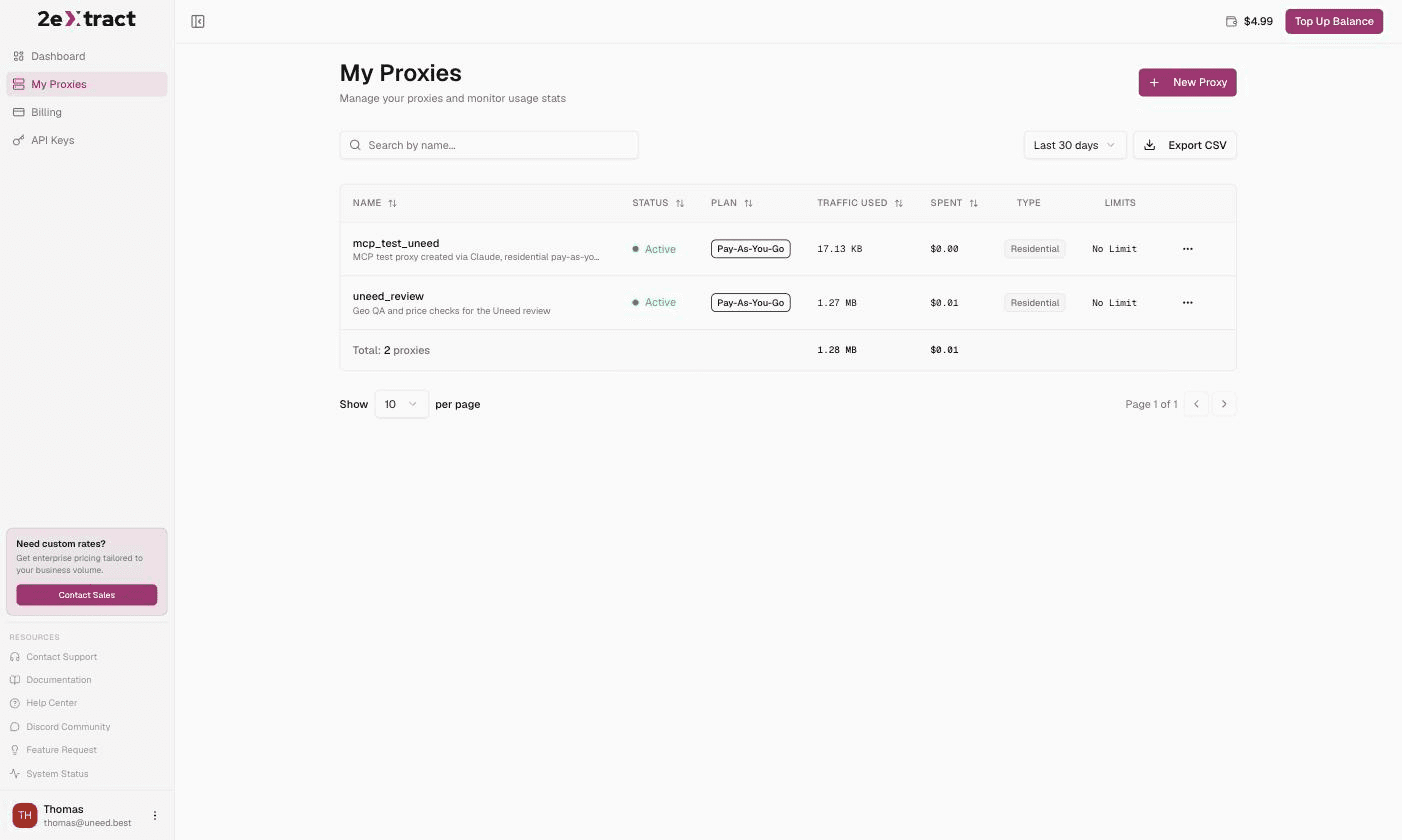
Hitting create drops you straight onto the proxy page with a host, a port, a username, a password and a ready-to-paste cURL command. I copied it into a terminal and ran it unmodified. Three seconds later I had a Verizon FiOS address in New York City. One form and one pasted command, and no config file anywhere.
One warning about the dashboard itself: the list pages sat on skeleton loaders for ten to fifteen seconds more than once during my session, which reads oddly next to the marketing site's promise of a zero-lag dashboard. Everything arrives, it just takes its time.
This is the design decision the whole product hangs off, and it is a good one. There is no SDK, no header to set, no per-country proxy to provision. The gateway host and port never change. Everything about a request's behaviour is encoded in the username you authenticate with:
2xt-customer-[CLIENT_ID]-proxy-[PROXY_NAME]-country-us-state-california-city-sanfrancisco
One proxy resource covers every market. Want Germany instead? Change -country-us to -country-de in the connection string and the next request exits in Germany. There is nothing to save, nothing to redeploy, and no second resource to pay for. For anyone who has managed a pool of country-specific endpoints, that alone is worth the switch.
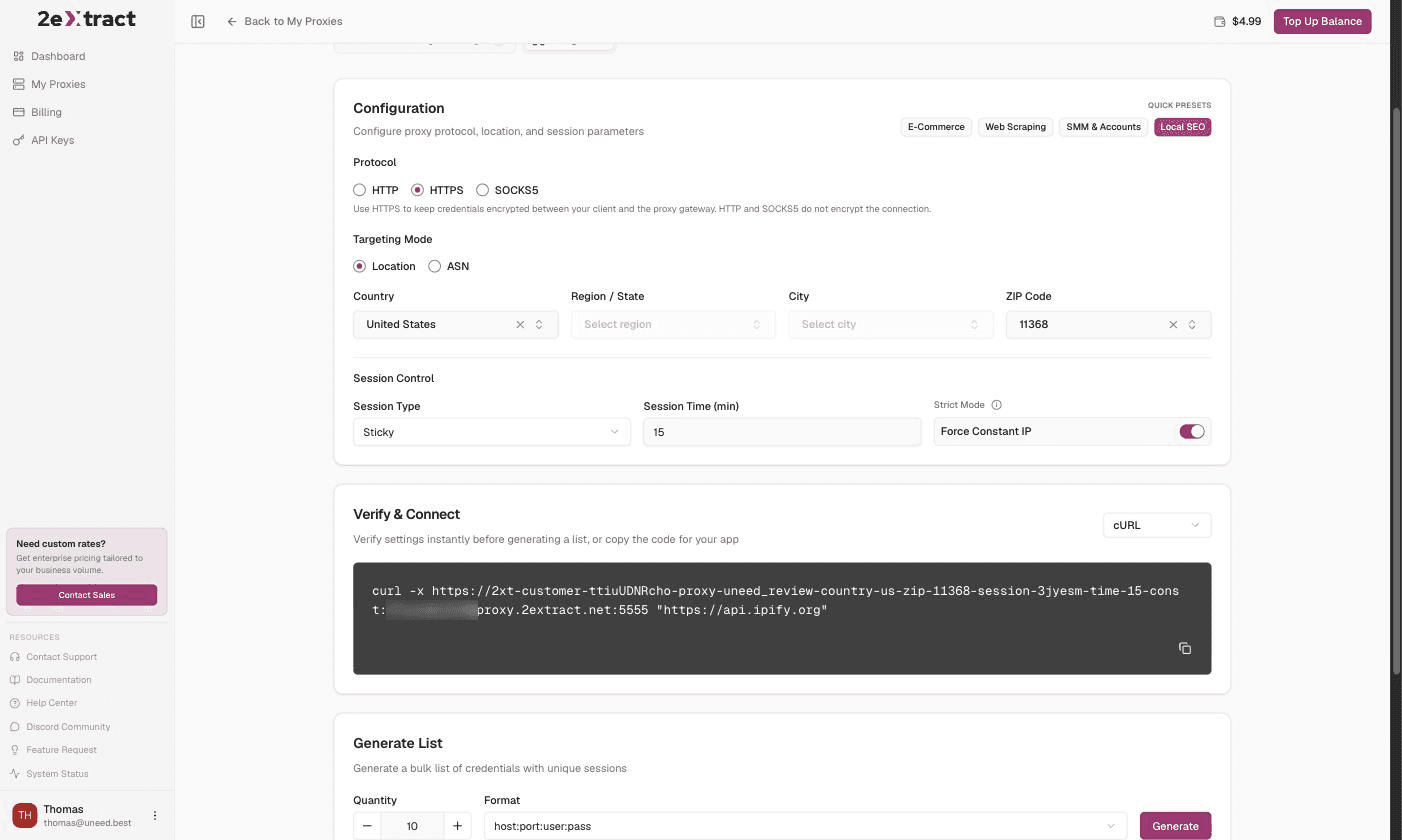
The Integration tab in the dashboard is a builder for that string. You pick country, region, city and ZIP from searchable dropdowns, set the session behaviour underneath, and the cURL command at the bottom rewrites itself live as you click. Four quick presets (E-Commerce, Web Scraping, SMM & Accounts, Local SEO) fill the whole panel in one click. There is also an ASN targeting mode if you want to pin traffic to a specific network rather than a place, and the docs are clear that the two are mutually exclusive.
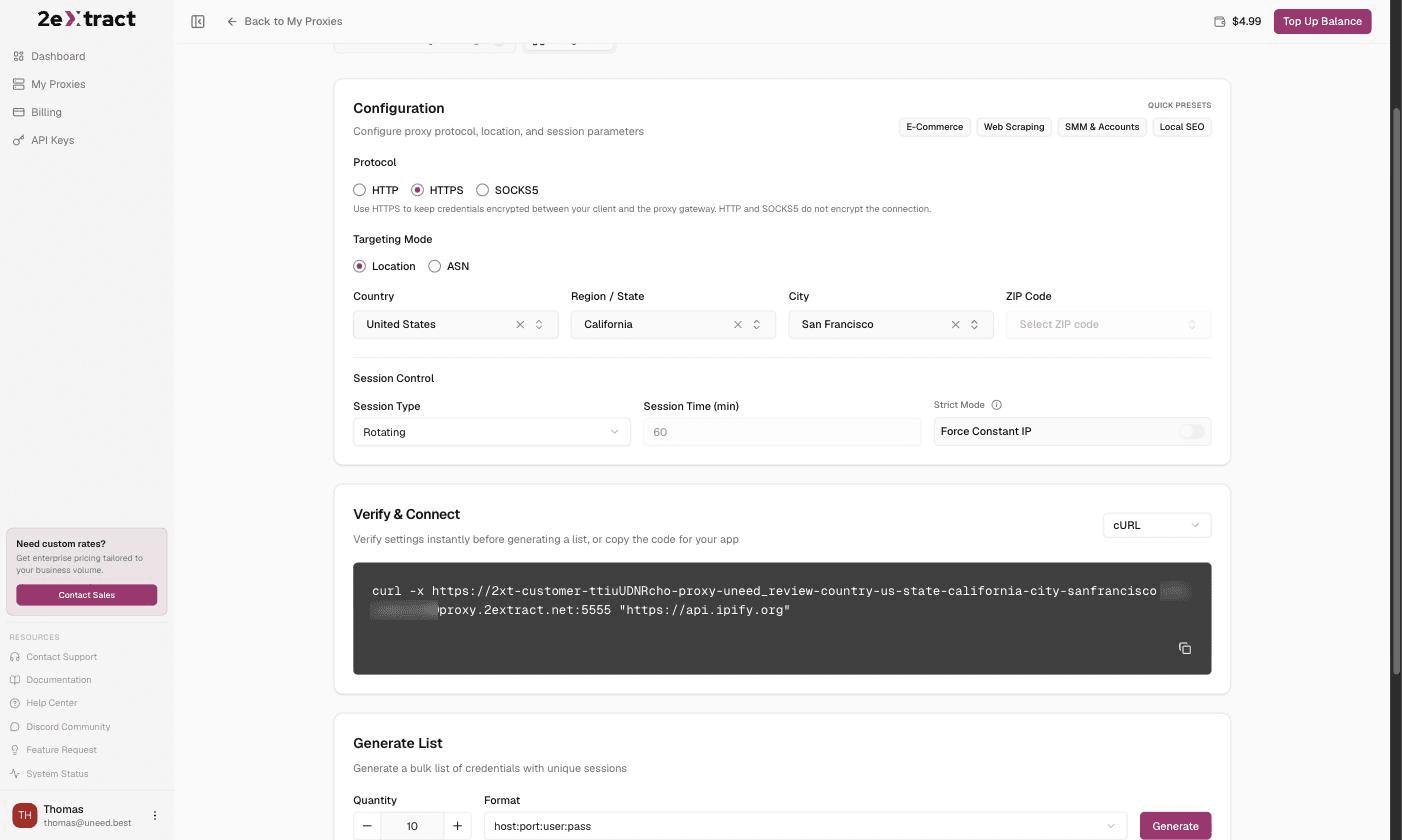
The catalogue behind those dropdowns is deep. The country list runs to 100 entries in the picker, and selecting California offered me 518 cities, from Acton to Yucca Valley. That is real granularity, not a marketing bullet.
How well does it land? I ran eleven requests pinned to San Francisco and checked each exit IP against a geolocation service. Six came back San Francisco. The other five were San Jose, Oakland and Pleasanton, all inside the Bay Area, none more than about 70 km off. City targeting gets you the right metro reliably and the right city most of the time. 2extract's own troubleshooting page is refreshingly straight about this: geolocation databases disagree with each other, and what matters is what the target site concludes, not what a lookup tool says. My ZIP test made the same point in miniature, returning an IP that one database placed in Yonkers and simultaneously tagged with a Manhattan postal code. If your work depends on street-level precision, verify against the site you actually care about rather than a third-party IP lookup.
By default every request gets a new IP. I fired five requests with no session parameter and got five different addresses. That is what you want for broad collection and exactly what you do not want for a login flow or a paginated cart.
Adding -session-[id]-time-[minutes] pins the IP for the duration. I set a ten-minute sticky session and ran five requests: same address, five times out of five. The dashboard generates the random session id for you when you flip Session Type to Sticky, which is a small kindness.
The piece I liked most is the third mode. A sticky session can still lose its IP if that residential connection drops offline, and by default the gateway quietly hands you a different one. Add the -const flag, exposed in the UI as a Force Constant IP toggle, and it returns a 502 instead. Failing loudly is the correct behaviour when your script is halfway through a multi-step flow, and I have used proxy services that do not offer the choice at all.
The Local SEO preset combines all of this in one click: a US ZIP code, a fifteen-minute sticky session, and Force Constant IP on. I ran the resulting string three times and got the identical Charter Communications address in the New York metro every time.
This is the use case the founder suggested, so I ran it properly. I requested the exact same Spotify Premium URL four times, changing nothing but the country flag in the username. Each time the site redirected to its local page and quoted a local price:
| Country | Landing page | Individual plan |
|---|---|---|
| United States | /us/premium/ | $12.99 / month |
| Germany | /de/premium/ | 12,99 € / Monat |
| Japan | /jp/premium/ | ¥1,080 |
| Brazil | /br-pt/premium/ | R$ 23,90 |
Four markets, one URL, one edited string. No VPN client, no browser profiles, no asking a colleague in another timezone to send a screenshot. If you sell internationally, this is the thing that turns "a customer says the price is wrong" from a shrug into a five-minute check, and it is equally the shape of a price monitoring or ad verification job.
This was the founder's top priority and the reason the product is interesting beyond the commodity layer. 2extract ships an MCP server so an AI client can provision and manage proxies for you in plain language, and it is a real implementation rather than a thin wrapper.
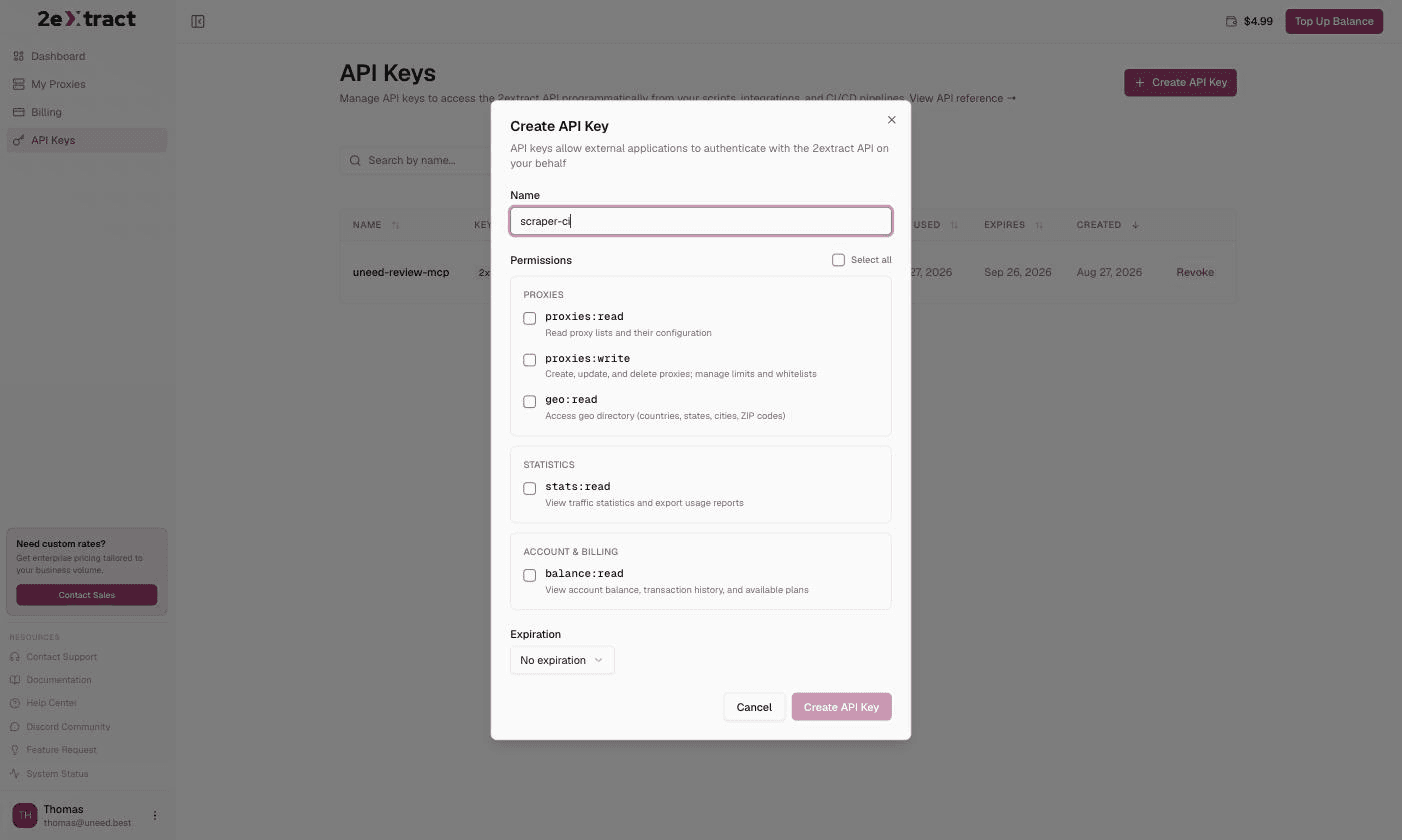
You create an API key in the dashboard first. The key dialog is properly scoped: five permissions (proxies:read, proxies:write, geo:read, stats:read, balance:read) and an expiry ranging from 30 days to never. The same key authenticates both the MCP server and the REST API, though slightly annoyingly they want it in different headers.
Connecting it to Claude Code is one command from the docs. I did the interesting version instead and pointed a headless Claude Code run at the server with a single instruction: tell me my balance, list my proxies, then create a residential pay-as-you-go proxy called mcp_test_uneed defaulting to Germany. It came back with the balance to six decimal places, a table of my existing proxies, and a new active proxy. I checked the dashboard and there it was, correctly configured, sitting next to the one I had made by hand. I then ran three requests through it with no parameters at all and got three German consumer IPs, on Telefónica, Vodafone and wilhelm.tel.
Under the hood the server exposes 19 tools across account, geo, plans, proxy resources and proxy settings, plus 19 matching docs:// resources so the model can look up a response schema instead of guessing at it. It also ships a long set of server instructions telling the agent to resolve country and plan IDs before creating anything, to check the balance before a billable action, and to verify the final state afterwards. Whoever wrote that has clearly watched an LLM invent a country ID and has taken steps.
One rough edge: the API does not return a per-proxy connection username, so the agent could tell me the host and port but hedged on the username. It is trivially derivable (your account prefix, then -proxy-, then the name) and the dashboard shows it plainly, but an agent-first product should hand that back in the response.
Everything the dashboard does is available over a REST API with a Swagger UI, and there is a second, keyless MCP server that serves the documentation itself as searchable tools.
The docs deserve a paragraph of their own. The llms.txt index is the best example of the format I have read from a small company. It opens with an "Instructions for agents" block that reads like a set of hard-won support tickets: proxy names take underscores because hyphens are the parameter separator, city alone does nothing without country, one proxy covers every country so do not create one per market, and if you find yourself writing a custom header to set a country you are doing it wrong. Troubleshooting is indexed by symptom rather than by subsystem. Every page is available as markdown by appending .md to its URL. There are 28 anti-detect browser guides and integration pages for Requests, Scrapy, Axios, Puppeteer, Playwright and Go.
Gateway errors are mostly good and occasionally not. A nonsense parameter returns a clean 400 with unknown parameter: 'banana'. Using -state- without -country- returns a 400 explaining the dependency. A wrong password returns a proper 407 saying so. But an invalid country value and a request for a country with no available IPs both fell through to a bare 500 carrying a numeric code with no message, and the header they arrive in is not the one the error reference documents. It is a small inconsistency, though it is exactly the sort of thing that costs someone an hour at 2am.
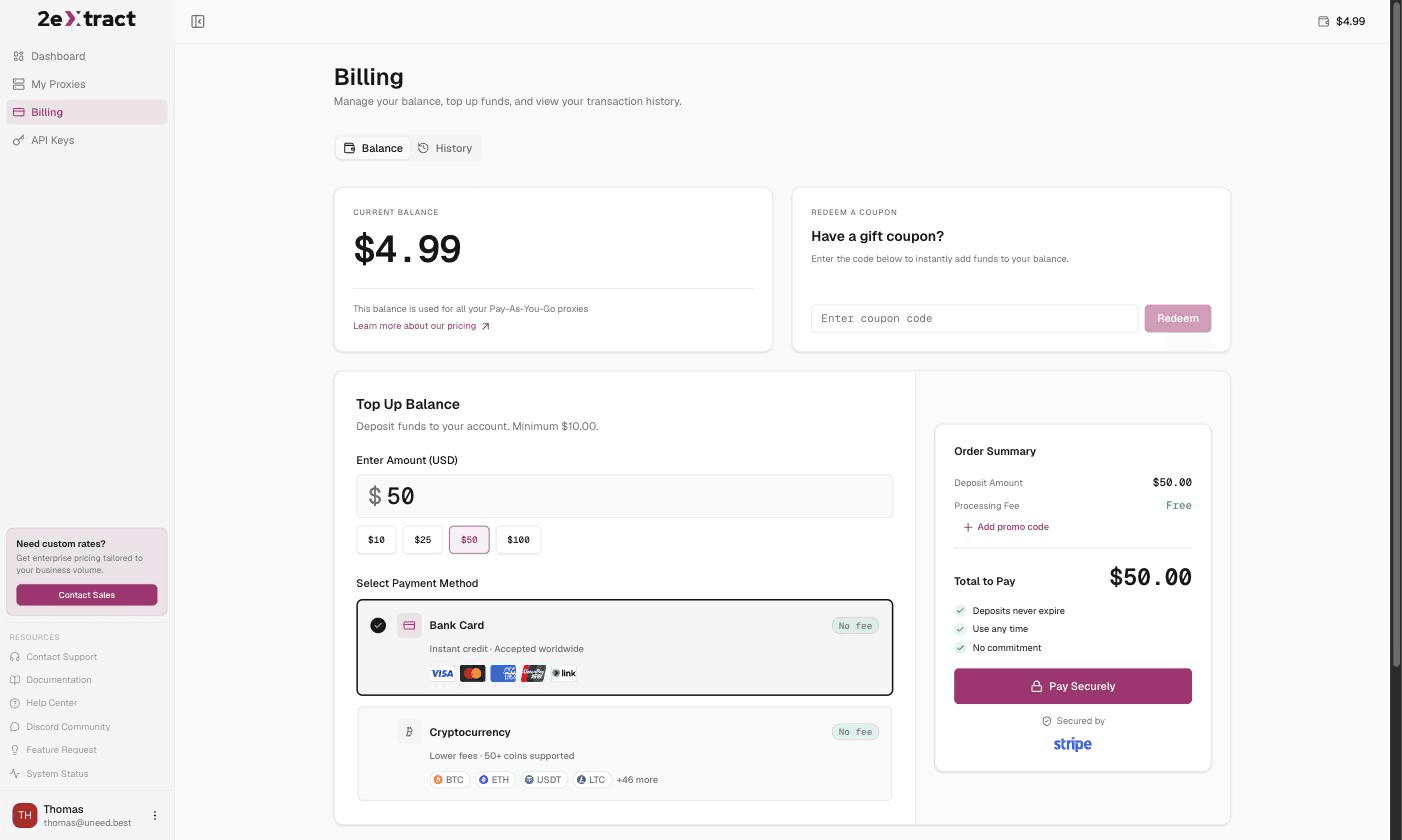
Pay-as-you-go is the headline and, for now, the only option you can actually buy. Residential traffic is $3.99 per GB and mobile is $4.99 per GB, billed against a prepaid balance that every proxy draws from. Four monthly plans exist for each product type, but all eight are marked "Coming Soon" in the dashboard, so treat the figures below as a preview of where pricing is heading rather than something you can sign up for today.
| Plan | Residential | Mobile |
|---|---|---|
| Pay-as-you-go | $3.99 / GB | $4.99 / GB |
| Micro | $36.00 / mo (10 GB) | $45.00 / mo (10 GB) |
| Starter | $96.00 / mo (30 GB) | $99.00 / mo (25 GB) |
| Production | $279.00 / mo (100 GB) | $349.00 / mo (100 GB) |
| Professional | $999.00 / mo (500 GB) | $1,047.00 / mo (350 GB) |
The minimum top-up is $10, deposits never expire, and there is no subscription or commitment. You can pay by card through Stripe or in crypto through NOWPayments, and neither carries a processing fee. High-volume buyers are pointed at a Contact Sales form; the site advertises rates down to $0.70 per GB at that end, which is their figure and not one I could verify. There is also a coupon field in Billing if you are handed a code.
Metered pricing is easy to be nervous about, so here is a real number. My whole afternoon of testing, a few dozen requests including four full Spotify pages and a pile of JSON lookups, came to 1.28 MB across two proxies, which the dashboard billed at one cent. Text scraping is cheap. Anything that loads images will not be, which is what the per-proxy spending caps are for.
Who should skip it: if you want a consumer VPN, this is the wrong shape of product entirely. If your target is one of the genuinely hard sites, a residential IP is one input among several and the fingerprint and request rate matter at least as much, something 2extract's own troubleshooting page says out loud. And if you are running enormous, image-heavy collection jobs, do the arithmetic on per-GB billing before you start rather than after.
2extract is a proxy network built by people who evidently write code and read docs. The username-as-configuration model means one resource covers the world and switching markets is a string edit. Session control offers the three modes you actually need, including the loud-failure one most services skip. And the MCP server is not a checkbox: nineteen tools, per-tool documentation resources, scoped keys, and a set of server instructions that anticipates how models go wrong.
The obvious comparison set is Bright Data, Oxylabs and Decodo, and the honest positioning is that 2extract is smaller and less proven than any of them. What it offers instead is a shape those platforms mostly do not: no seat licences, no annual contract, a $10 floor, and a control surface an agent can drive. If you are a team of three rather than a data department of thirty, that trade is likely to go your way.
What I liked:
-const failing loudly instead of silently swapping IPsThings to keep in mind:
If you have a market you cannot see into, or an agent you would like to hand infrastructure to, 2extract is worth the $10.


